

You write the dedication, line by line
Personalising a star dedication is a job of words rather than a choice from a list. You set the dedication name, the date and the place you will look up from, add a message and see a preview of your text and layout before paying. What you approve stays as written: nothing is rewritten or translated.
01
What you actually decide
Four fields carry most of the meaning. The dedication name is the line read first: a first name, two names joined, a nickname that never leaves the house. The date is the one you want held still. The place is recorded on the sky map as context, next to the star the map is centred on. The message is optional, and it is the part you are most likely to come back to.
You also decide how much stays visible. A dedication can remain private, be reachable only with its code, or be public; the choice is made while creating it and can be changed later. There is no required format for the message — a few well-chosen lines carry as far as a paragraph.
02
The limits of personalisation
Almost every field is yours to set, apart from the things it would be dishonest to promise.
What you control
- The name, date, place, message and privacy level, all visible in the preview before payment.
- Your wording, kept exactly as typed on the documents, with no automatic translation or editing.
- Read every included document with your words, the images and astronomical data of the star reserved for you. When you buy, you receive the approved documents, linked to that same star.
What you cannot set
- The dedication is symbolic and commemorative and is connected to a real catalogue star: the service does not transfer ownership of the celestial object and does not change its scientific designation.
- The chosen name is kept in the A Star For You Private Registry and does not replace the object's recognised astronomical identifier.
- You cannot request a famous star or a particular brightness. A Star For You is digital only: custom paper stock, framing and printed formats are not offered.
03
Where your words end up
Each field you complete has a defined place in the documents; none of it is decorative.
Four documents, one piece of writing
Read every included document with your words, the images and astronomical data of the star reserved for you. When you buy, you receive the approved documents, linked to that same star.
Preview first, verification afterwards
Read every included document with your words, the images and astronomical data of the star reserved for you. When you buy, you receive the approved documents, linked to that same star.
 Real template · sample details
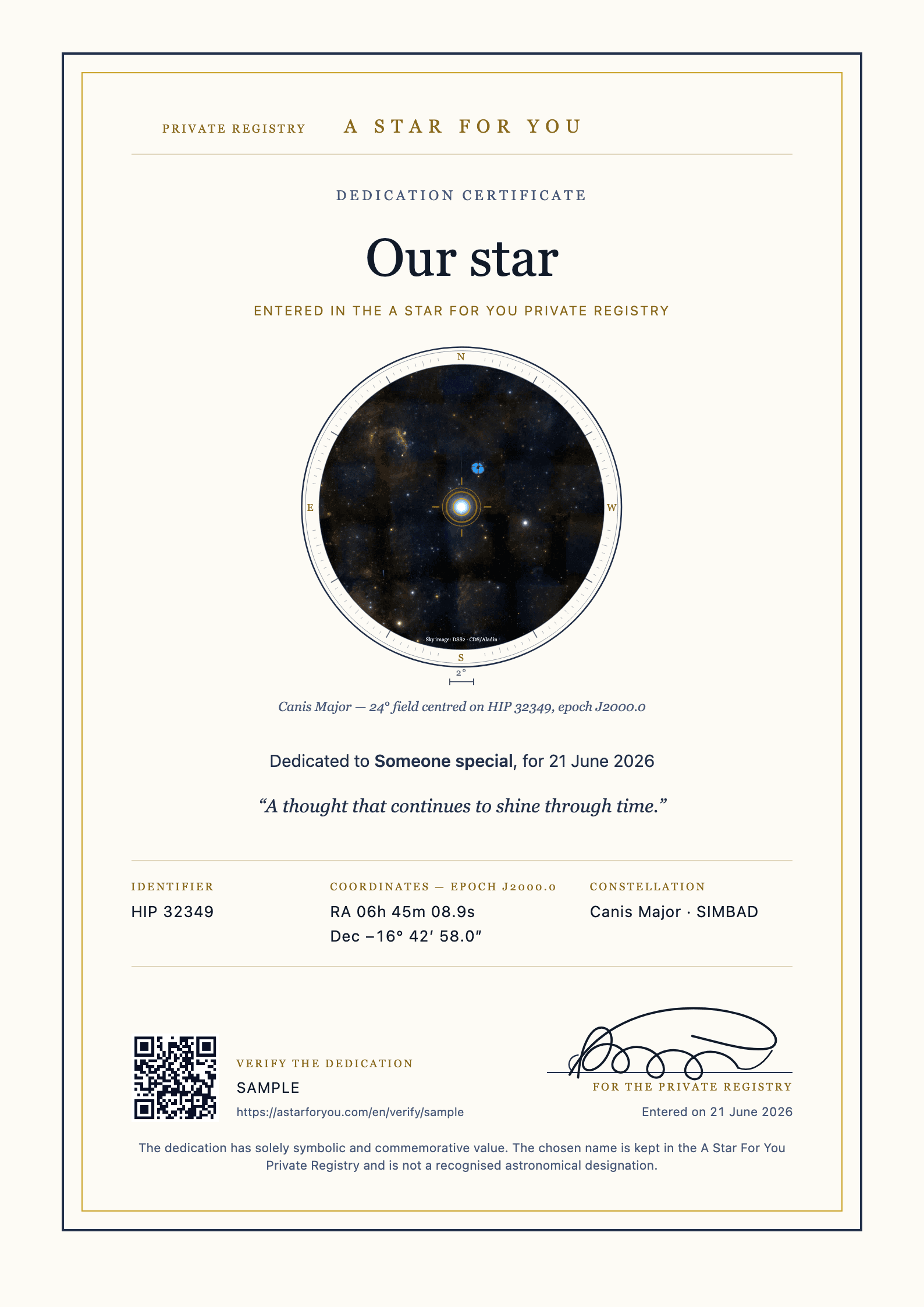
Dedication certificateThe chosen dedication, catalogue identifier, coordinates, seal and verification code. 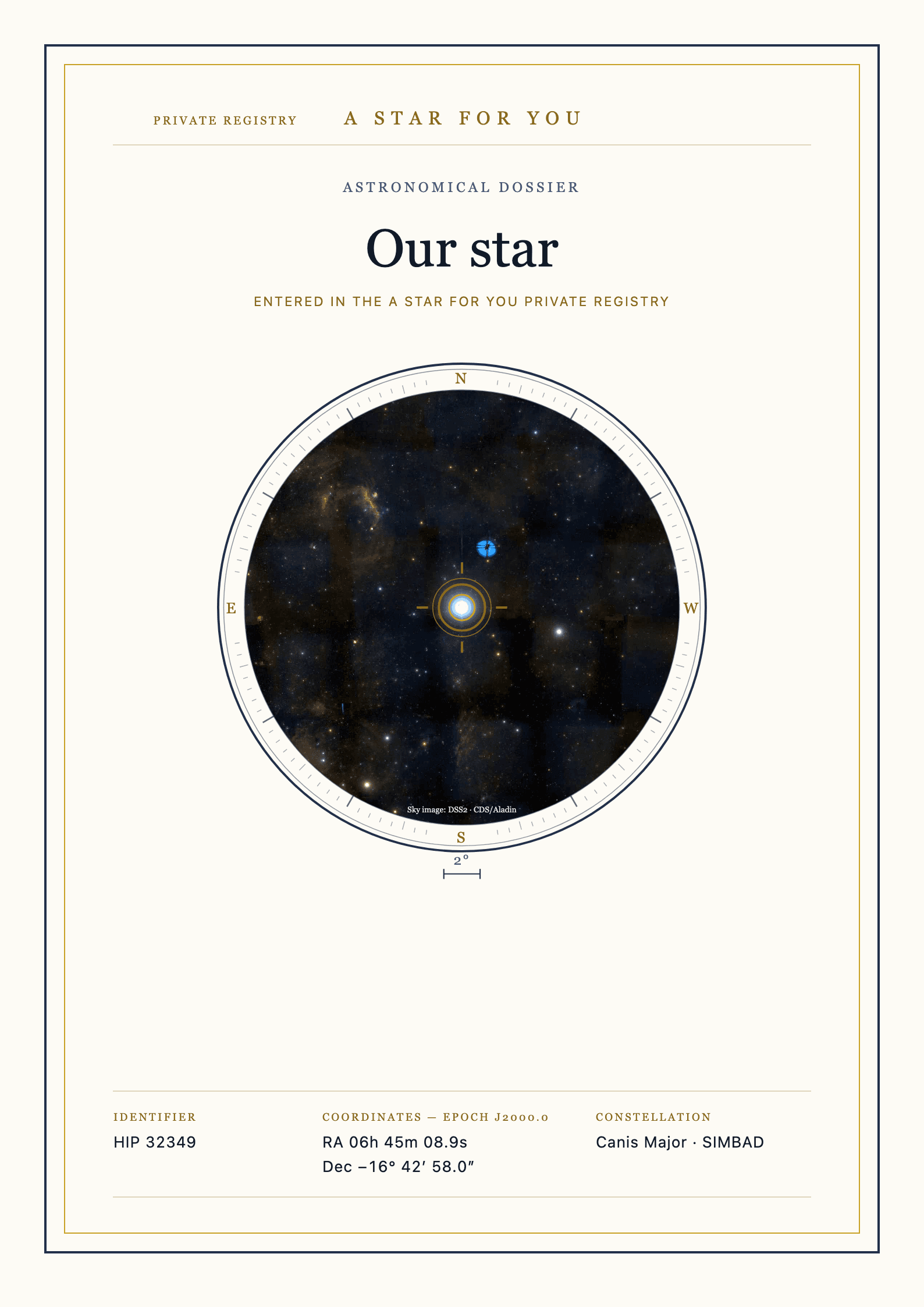 Complete front page
Astronomical dossierStar identity, your evening and light through time. The page count depends on the available data. 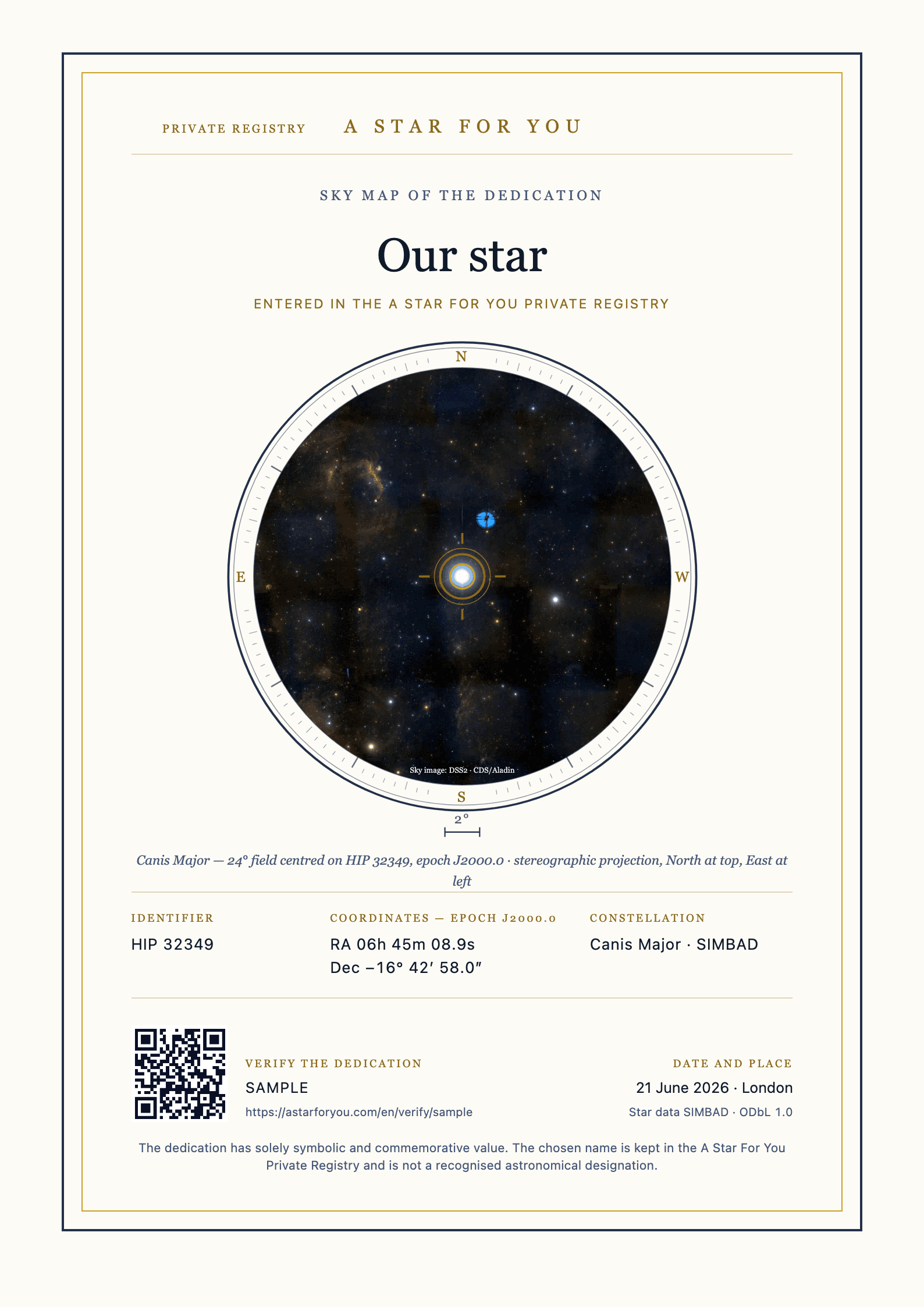 Real template · sample details
Sky mapA map centred on the selected star, carrying the significant date and place as context. 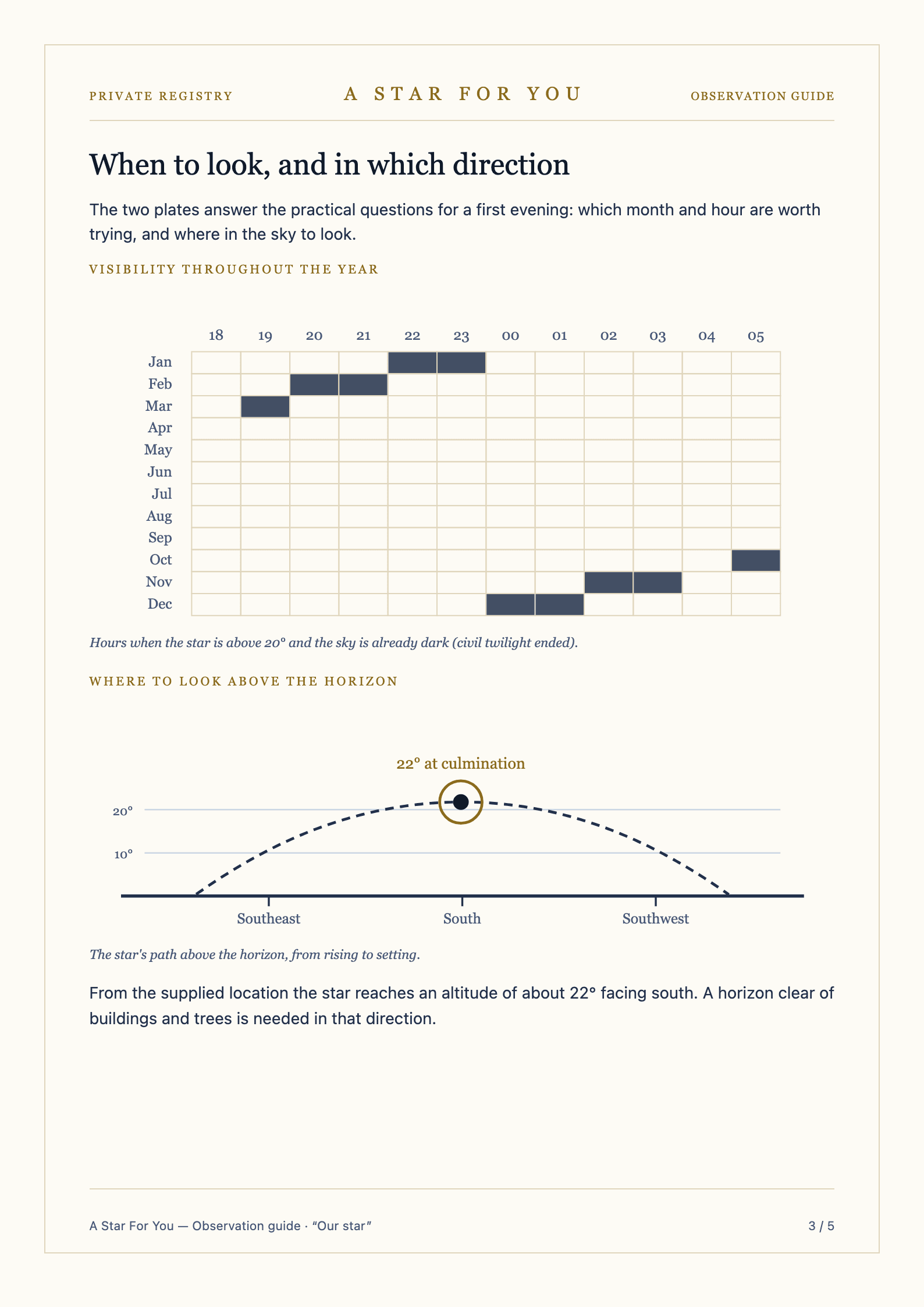 Real complete page
Observation guideFive sheets covering times, a planetarium app, visibility plates and an observation logbook.
How to write a dedication that holds up
Three steps in the configurator, with the option to go back at any point before you confirm.
Set the dedication name
One line, the one read before anything else. If you are torn between two versions, try both in the preview: on the certificate one of them will sit better than the other.
Fix the date and the place
The sky map is centred on the star and carries the date and place you entered as context. The observation guide uses the place for its directions.
Add the message and reread it
The message is optional and stays exactly as written. The last screen before payment shows the typeset text: adjust it until it reads the way you would say it, then confirm.
Write the first line and the rest follows
You can open the configurator having decided nothing and leave with a preview in front of you; no field is final until you confirm. The full total, including all taxes, is shown before the order is placed.
Write the dedication04
Four questions about personalised dedications
How long can the message be?
The configurator shows the limit for each field as you type, and the preview displays the text already typeset. That is where you see whether a sentence needs shortening; a few readable lines beat a paragraph squeezed into a smaller size.
Can I use two names or a nickname?
Yes. The dedication can carry one name, two names together or the version you actually use. It is kept in the A Star For You Private Registry and appears beside the star's catalogue identifier rather than in place of it.
Can I correct a mistake after paying?
Before payment you can correct anything as often as you like. After confirmation, write to us as soon as possible: what can be changed depends on how far document preparation has progressed and on the cause of the error, and those cases are kept separate on the personalisation and withdrawal page.
Is my text translated or tidied up automatically?
No. Your wording stays word for word on the documents, in the language you wrote it, with your punctuation and capitals intact.
Free
Start with a date that matters
The sky on a date
Choose a date and place that mean something to you. Explore a reconstruction of the sky and keep the image to share.
Rediscover the sky on that date, for free
Free experiences, with no account or purchase needed. A dedication and its documents are a separate service, yours to choose if you wish.